If you’ve ever sent a message on an iPhone and noticed the text bubble turn green instead of blue, you’re not alone.
Many people search for “green text meaning on iPhone” because the color difference can feel confusing—especially if conversations suddenly change from blue to green without warning.
The truth is simple, but there are a few details that matter.
Message color on an iPhone tells you how your message was sent, not what the message says.
Understanding this helps you avoid misunderstandings, troubleshoot issues, and communicate better with others.
In this guide, you’ll learn what green text means, why it happens, how it differs across apps, and what to do if you see it.
Everything is explained in a friendly, easy way—even if you’re not tech-savvy.
What Does Green Text Meaning on iPhone Mean in Text & Chat?
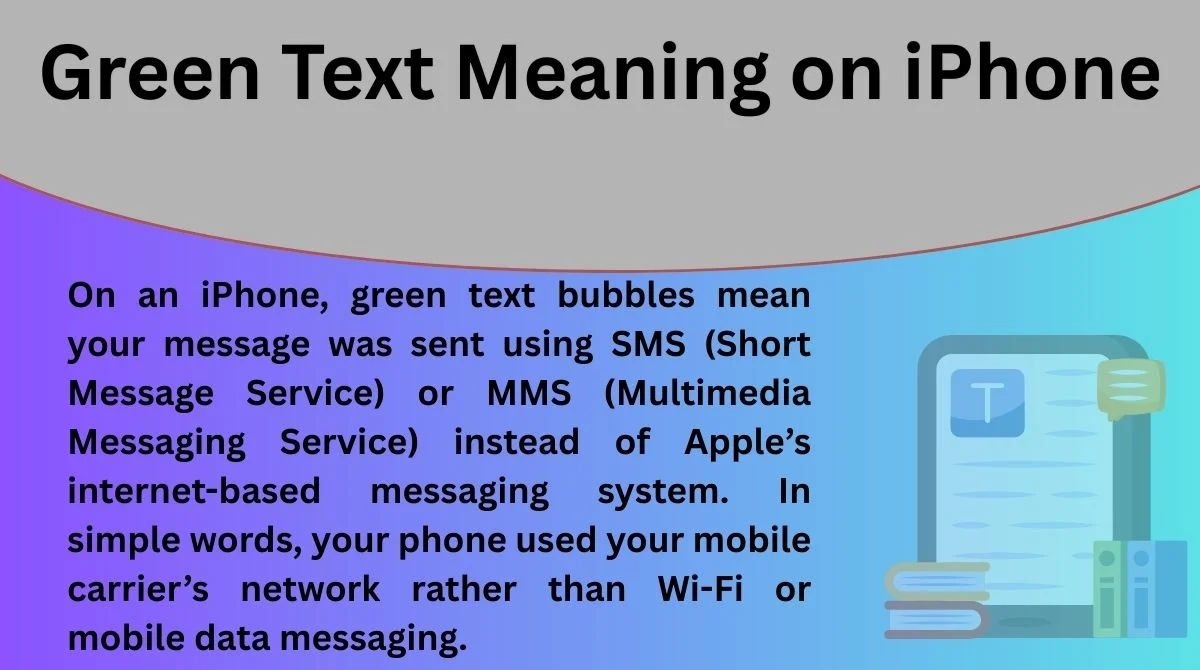
On an iPhone, green text bubbles mean your message was sent using SMS (Short Message Service) or MMS (Multimedia Messaging Service) instead of Apple’s internet-based messaging system. In simple words, your phone used your mobile carrier’s network rather than Wi-Fi or mobile data messaging.
When messages appear blue, they are sent through Apple’s iMessage system (created by Apple Inc.). But green bubbles mean one of the following situations:
- You are texting someone who does not use an iPhone.
- iMessage is turned off on your device.
- The recipient does not have internet access.
- There is a temporary network issue.
Green text does not mean someone blocked you, ignored you, or changed settings to avoid you. That is a very common myth.
Another key difference is features. Green SMS messages do not support:
- Read receipts
- Typing indicators
- High-quality media sharing
- Advanced reactions
So, when you see green text, think: “standard phone texting,” not anything negative.
Full Form, Stands For & Short Meaning of Green Text on iPhone
Unlike internet slang words, “green text” on iPhone is not an acronym. It doesn’t stand for anything like LOL or BRB. Instead, it refers to the visual color indicator used by the Messages app.
Here’s the short meaning:
- Green Text = SMS/MMS message sent through your mobile carrier
- Blue Text = iMessage sent through Apple servers using internet
SMS itself stands for Short Message Service, and MMS stands for Multimedia Messaging Service. These are older texting technologies that existed before smartphones became common.
Because SMS works through cellular networks, it also explains why green messages may sometimes:
- Cost money (depending on your plan)
- Have lower photo or video quality
- Fail when signal is weak
So the “full form” concept here applies to SMS/MMS, not the green color itself. The color is simply a visual cue to help users understand the delivery method instantly.
Origin, History & First Known Use of Green Text on iPhone
The green vs blue message system began when Apple introduced iMessage in 2011 alongside iOS 5. Before that, all iPhone messages were standard SMS texts, meaning everything would effectively appear like today’s green messages.
Apple needed a way to distinguish between:
- Internet-based messages (new feature)
- Traditional carrier messages (existing system)
So they used color coding:
- Blue = iMessage (Apple ecosystem)
- Green = SMS/MMS (universal texting)
This design choice helped users quickly understand which technology was being used without technical knowledge. Over time, the color difference became culturally significant, especially in countries where iPhones are popular.
Today, people sometimes associate green bubbles with Android users, but technically it simply means non-iMessage communication, regardless of the device.
How People Use Green Text in Daily Conversations
In everyday life, most users don’t think about the technology behind green messages. They just notice when the color changes. However, people often interpret green texts socially, which can lead to misunderstandings.
Common real-life situations include:
- Messaging someone with an Android phone
- Traveling where internet is limited
- Temporary iMessage outages
- Switching SIM cards or devices
People may also mention green text casually:
- “Why did your messages turn green?”
- “My phone is sending green texts today.”
- “I think my iMessage stopped working.”
In relationships and friendships, green bubbles sometimes cause worry, but usually the reason is technical, not personal.
Green Text Meaning Across WhatsApp, Instagram, TikTok & Snapchat
On other messaging platforms like WhatsApp, Instagram, TikTok, and Snapchat, message color does not indicate SMS vs internet the same way it does on iPhone.
Each platform uses colors differently:
- WhatsApp: Colors show sender vs receiver messages.
- Instagram: Chat themes may change colors.
- Snapchat: Colors indicate message type (photo, video, chat).
- TikTok: Messaging colors are mostly decorative.
So the “green text meaning” is mostly unique to Apple’s Messages app. If you see green messages elsewhere, it usually has a different meaning.
Different Meanings of Green Text in Other Fields
Outside iPhone messaging, green text can mean different things depending on context:
Technology:
- Successful command output in coding terminals
- Active or online status indicators
Gaming:
- Player chat or system notifications
Finance:
- Profit or positive stock movement
Social media memes:
- Story-style text formatting (popular on forums)
This shows why context matters. On an iPhone, it is purely about SMS delivery, not emotional meaning.
Common Confusions, Mistakes & Wrong Interpretations
Many myths surround green text on iPhone. Let’s clear them up.
❌ Myths:
- Green text means you are blocked
- Someone turned off iMessage to avoid you
- Your message failed
- The person dislikes you
✅ Reality:
- It’s usually a network or device difference
- The recipient may not use iPhone
- iMessage may be temporarily unavailable
Another confusion is assuming green text means Android only. While often true, it can also happen between two iPhones if iMessage is off.
Similar Terms, Alternatives & Related Slang
Related terms you might see online:
- Blue bubbles
- iMessage vs SMS
- Text bubble colors
- Message status indicators
- Delivered vs sent
Internal linking suggestions:
- Blue text meaning on iPhone
- iMessage not working fixes
- SMS vs MMS explained
- What does delivered mean on iPhone
These topics help users understand messaging behavior better.
Examples of Green Text in Real Chat Situations
Here are realistic examples:
- “Hey, are you coming tonight?”
- “My Wi-Fi is down, text me instead 👍”
- “I switched to Android lol”
- “Why are my messages green today?”
Quick examples:
- “Your texts turned green 😅 did something happen?”
- “I’m abroad, so SMS only for now.”
- “iMessage isn’t working for me.”
How to Reply When Someone Says Green Text
If someone mentions green text, you can respond casually:
- “Probably my internet is off.”
- “I think iMessage is down.”
- “You might be texting my number, not my Apple ID.”
- “No worries, SMS still works 🙂”
The best reply depends on the situation, but usually reassurance is enough.
Is Green Text Still Popular? Trends & Online Usage
Yes, discussions about green text remain popular online. The topic trends because:
- iPhone vs Android debates continue
- Users worry about being blocked
- Messaging issues happen frequently
- Social media memes highlight bubble colors
Even after many years, people still search for this topic daily because messaging is central to modern communication.
FAQs
1. Why did my iPhone messages suddenly turn green?
Usually because iMessage is off, internet is unavailable, or the recipient isn’t using iPhone.
2. Does green text mean I’m blocked?
No. Being blocked does not automatically turn messages green.
3. Can two iPhones send green texts to each other?
Yes, if iMessage is disabled or unavailable.
4. Are green messages charged money?
Sometimes, depending on your carrier plan and whether SMS fees apply.
5. How do I switch back to blue messages?
Turn on iMessage in Settings and ensure you have internet access.
Conclusion
Green text on iPhone is much simpler than many people think.
It does not carry emotional meaning, social signals, or hidden messages.
It only tells you how your message was delivered—through your mobile carrier instead of Apple’s internet messaging system.
Once you understand this, the confusion disappears.
Whether you’re texting an Android user, dealing with weak internet, or experiencing a temporary glitch, green messages are completely normal.
Technology differences create the color change, not relationship problems.
So next time you see a green bubble, you’ll know exactly what it means and why it happened.

Freya Martin is a creative writer who loves playful wordplay, light humor, and engaging content for a global audience.